



The Short Version
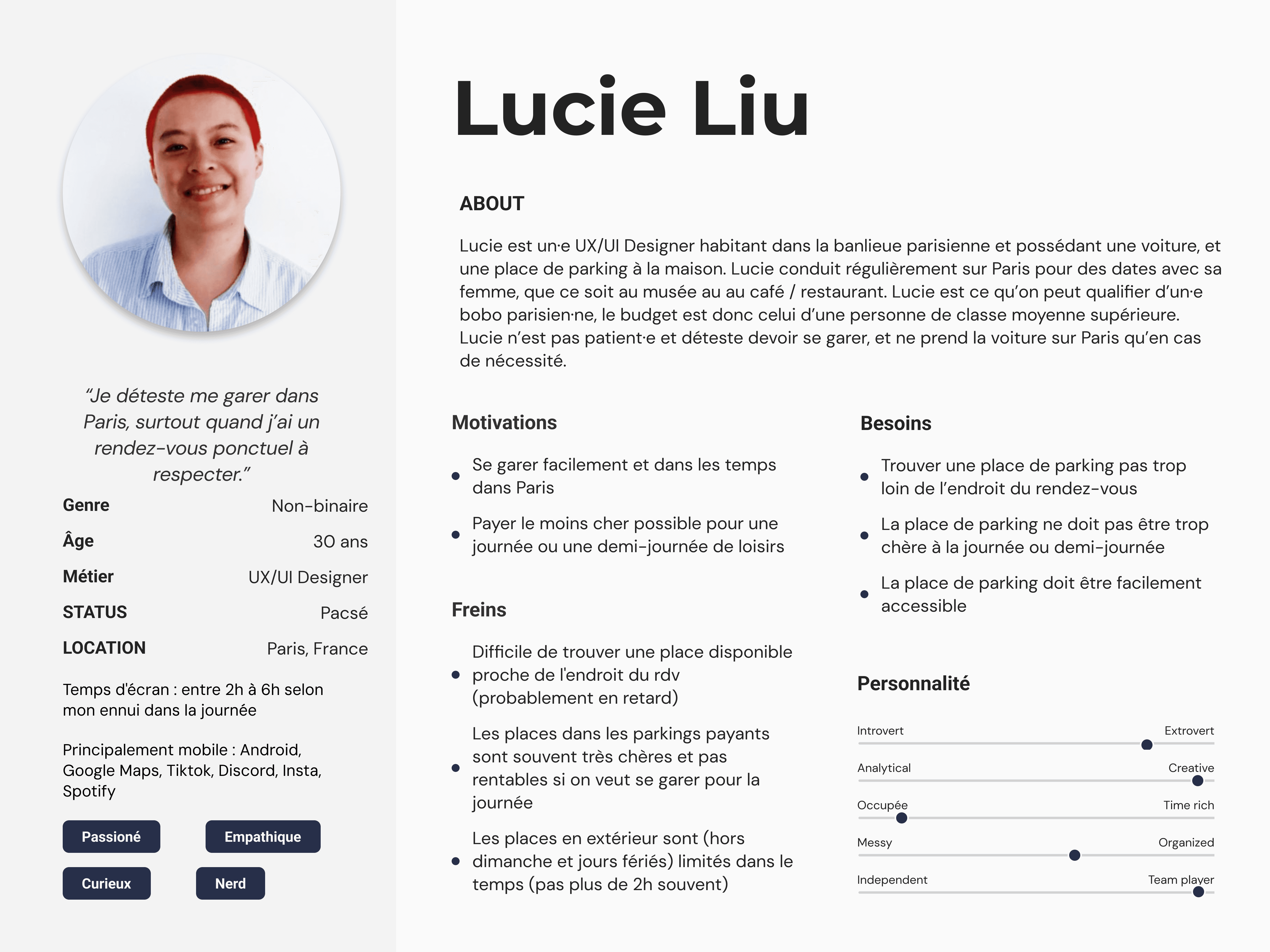
For this student project, we were tasked with designing an application prototype that would help users find available parking, whether offered by local governments or individual owners, anywhere in their area. Our primary persona was Lucie, a 30-year-old non-binary UX/UI designer living in the Parisian suburbs who drives into the city for leisure and hates the stress of finding parking on a time constraint. Working as an international francophone team of four, we moved through the full design process in a single working week. This included user interviews with classmates, low-fidelity wireframe creation and usability testing, and a final round of high-fidelity usability testing — all culminating in a polished Figma prototype.
What we chose and why
For our persona research, we interviewed young urban drivers to understand their needs and pain points around parking. After several rounds of interviews, we synthesized our findings into a persona that captured the key motivations, frustrations, and behaviours of our target user.
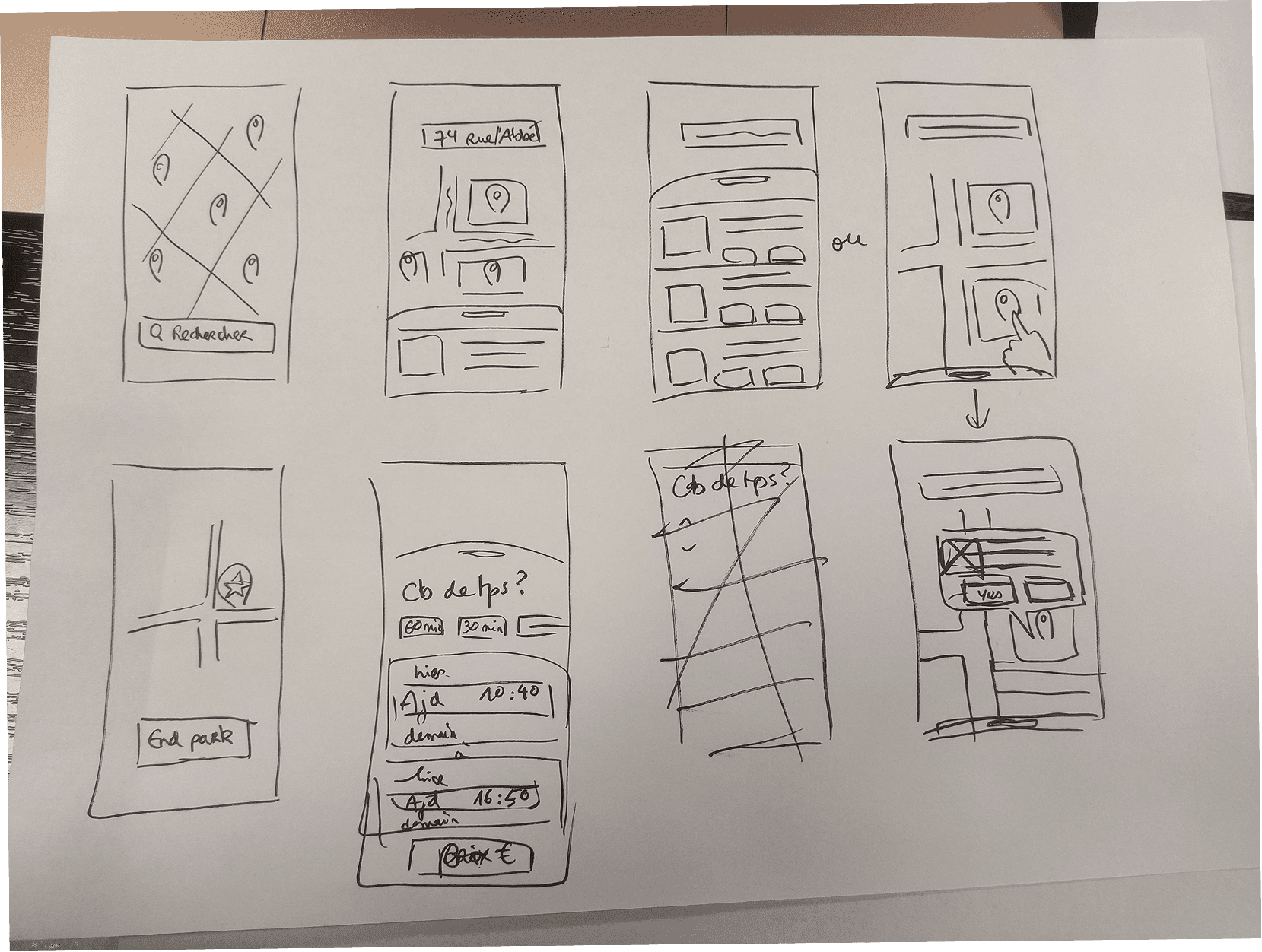
From there, we mapped out our core UX flows through low-fidelity wireframes and conducted usability testing to validate our decisions before moving forward. A key design principle throughout was leveraging users' existing familiarity with apps like Uber, keeping the interface intuitive and reducing the learning curve from the very first interaction.
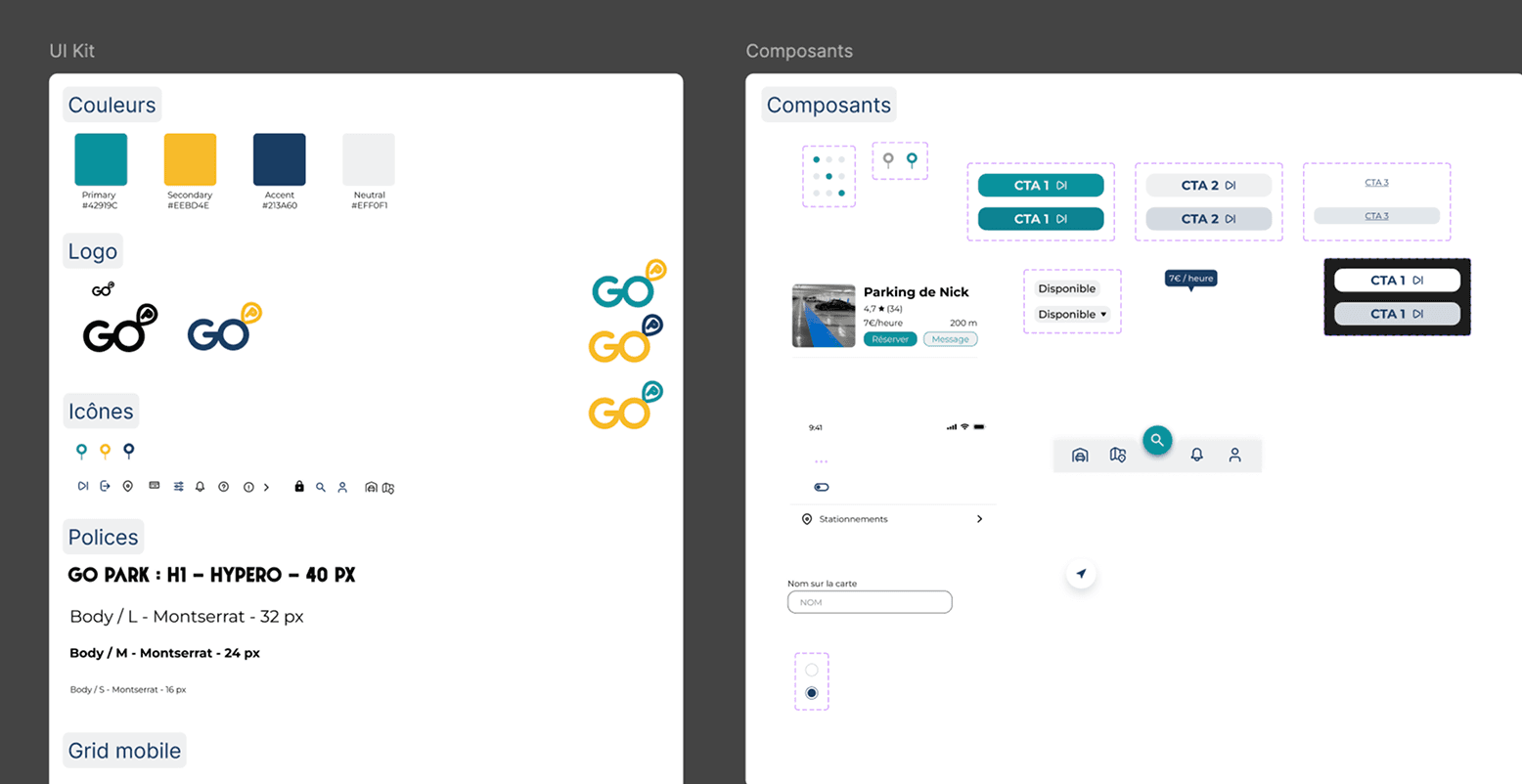
Once the flows were confirmed, we built a UI kit to establish our visual system and ensure consistency across the design. The high-fidelity frames were produced in Figma, and the final prototype demonstrates the full experience: the parking search flow, the interactive map interface, and user profile management. All of this was delivered in a single working week.
Results
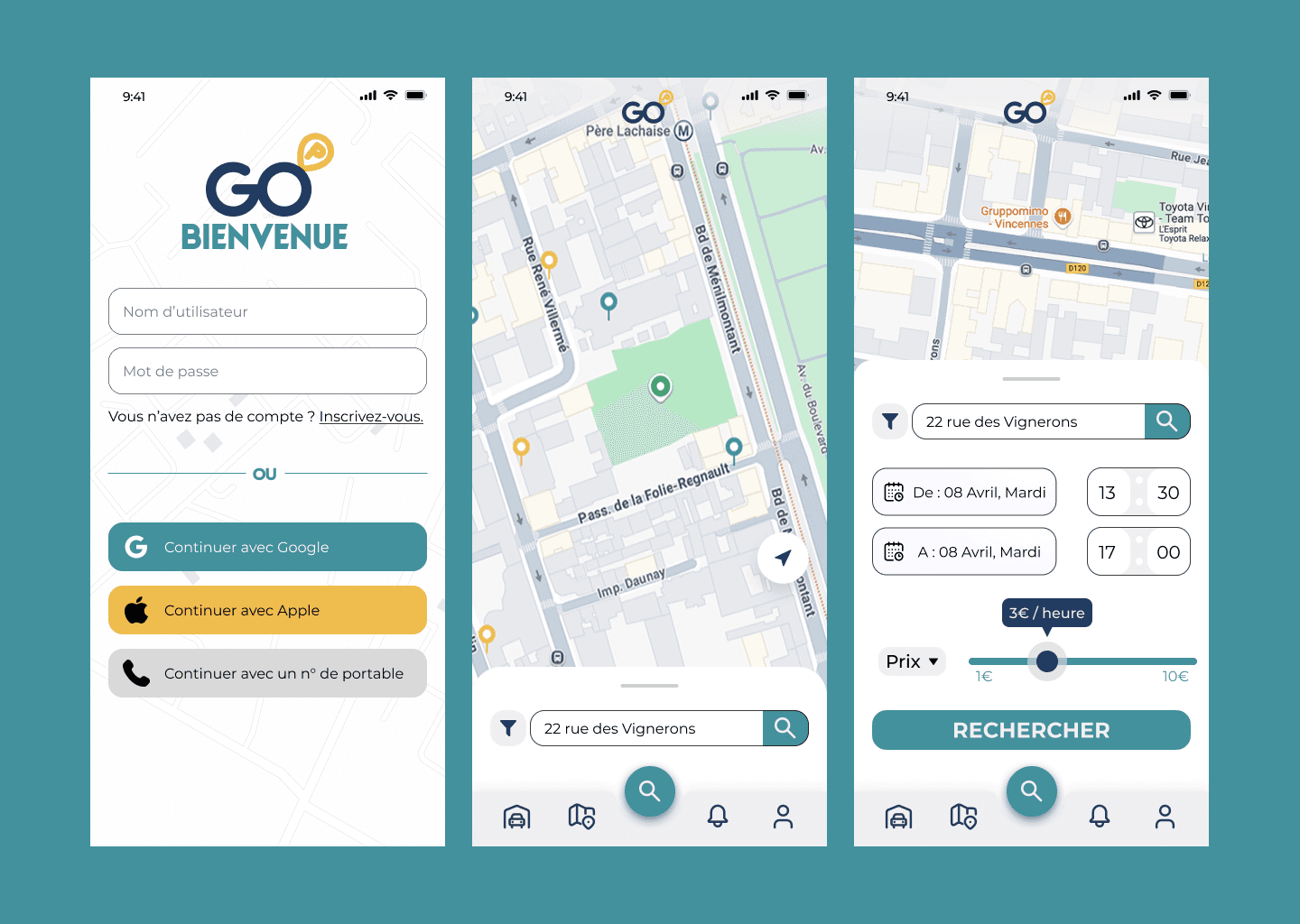
In just one week, we established a coherent brand with a consistent colour palette and feel across all screens. The user flow was designed to feel immediately familiar. Our login screen, for example, offers three authentication methods: Google, Apple, and phone number, patterns that users recognise instantly. We created a map interface containing all the necessary components for this type of application: pins for available parking spots, a persistent bottom navigation bar, and dedicated screens for user information. The information hierarchy is clear throughout. Our search and filter screen brings together a date and time picker for arrival and departure, a price range slider with a live price indicator, and a filter button all in one place, directly reflecting the core user need of finding the right parking spot at the right price and at the right time.
Notes to Future Me
Looking back, the prototype has clear areas for growth. Visual consistency needs attention. The login screen in particular does not fully align with the overall branding, which undermines the first impression. Pricing visibility is another priority. While the search and filter screen addresses price clearly, users should be reassured about pricing earlier in the journey, ideally directly on the map before they even begin filtering. Starting transparent builds trust faster. Finally, one feature we were unable to implement due to time constraints was the ability for users to list and rent out their own parking space. This function would have completed the two-sided marketplace vision of the app and significantly strengthened its value proposition.
